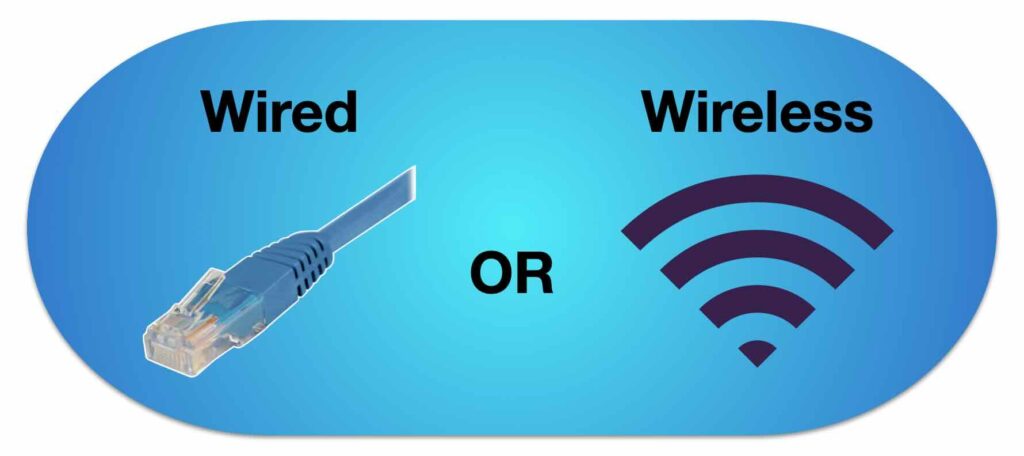
In today’s connected world, choosing between a wired network and a wireless network connection isn’t just a technical decision – it affects productivity, security, and convenience. Wired networks have served as the backbone of networking for many years. In contrast, wireless internet has developed very fast, offering flexibility and mobility that wired configurations cannot match.
In this blog, we’ll take a deep dive into what makes these networks different, their pros and cons, and how to decide what works best for your business or organization.
What is a Wired Network?
A wired network uses physical cables, such as fiber optic, copper, or twisted pair, to link devices. These networks are reliable, with high speeds and security. They offer constant performance with no delays once installed, thus being perfect for critical applications that need stable connectivity.
Wired networks are suitable in environments where devices don’t move around, like workstations in an office, servers, or data centers. The catch? They take time to install, and there is little mobility as devices have to stay connected.
What is a Wireless Network?
Wireless networks, conversely, employ Wi-Fi or wireless technology in some other form for the transmission of data via air. Access points and antennas substitute cables, and devices connect without the need for wires.
The greatest benefits of wireless network access are mobility and flexibility. Endpoints, guests, or staff can move around coverage areas, and installation is generally faster and easier than with cables.
Key Differences Between Wired and Wireless Networks
| S.No. | Feature | Wired Network | Wireless Network |
| 1. | Mobility | Fixed – devices stay plugged in. | High – move freely with coverage |
| 2. | Speed | Very fast – can reach 1 Gbps or more | Usually slower, depending on interference |
| 3. | Reliability | Extremely stable | Can vary depending on the environment |
| 4. | Security | High | Needs strong encryption |
| 5. | Installation | Time-consuming | Faster and simpler |
| 6. | Maintenance | Can be costly | Easier to upgrade |
| 7. | Equipment | Hubs, switches, cables, routers | Access points, wireless routers. |
Wired vs Wireless Network: Pros and Cons of Both
Advantages of Wired Networks:
Wired networks are the gold standard for reliability. Once you have your cables, switches, and routers properly installed, you’ve got yourself a network that you can rely on.
- Speed and Stability: Wired connections are fast and usually maintain them consistently. With a wireless network connection, you rarely get traffic congestion or dropped signals. This is because only a limited number of devices connect to one cable at any given moment.
- Security: Physical cabling renders unauthorized entry extremely difficult. Combine it with firewalls and monitoring the network properly, and you’ve got a network that’s secure from potential threats.
- Low Latency: When you require quick, responsive connections – for applications such as video conferencing, file transfer, or cloud-based applications – a wired connection typically outperforms wireless every time.
Disadvantages of Wired Networks:
Wired networks have their drawbacks:
- Limited Mobility: Devices are fixed where cables take them, and this can be restrictive in dynamic business or office settings.
- Installation Complexity: Wired network setup is a bit of a hassle. Each hub, switch, and router requires careful planning and proper cabling.
- Cable Management: Plenty of wires mean more mess and maintenance nightmares. It can become untidy if not well-organized.
Advantages of Wireless Networks:
Wireless networks, meanwhile, offer freedom and mobility. With the access points installed, users can access from nearly everywhere within range.
- Mobility: Workers, guests, or devices can roam around freely without the need to plug in. It’s ideal for dynamic working areas, co-working areas, or even haphazard arrangements at home.
- Quick Setup: In contrast to wired networks, wireless access points are usually quicker and less physically intensive to install.
- Fewer Hardware Requirements: Since there are fewer cables and hubs to deal with, installing a wireless network connection is typically easier and less costly.
Disadvantages of Wireless Networks:
Wireless networks do have some limitations:
- Signal Interference: Physical barriers or other devices can interfere with the signal, slowing speeds or dropping the connection.
- Lower Security: Wireless networks are easier to access unless good encryption and access controls are implemented.
- Slower Speeds: Although Wi-Fi has greatly improved, it generally can’t keep up with the steady speeds of wired networks.
Wired vs Wireless Network: Which is Best for Your Business?
It all really depends on your business needs.
- Wired networks often make sense, mainly because they offer speed, reliability, and security.
- Wireless connectivity is preferred where mobility, flexibility, and ease of setup are more important.
- Many businesses adopt a hybrid approach, where core operations remain on wired networks, while wireless access is enabled for mobile users or guests.
Getting it right the first time saves money in the long run. IT professionals like those from Spectra provide professional guidance so your network can perform optimally. Whether wired, wireless, or a combination of both, proper installation now will help you avoid expensive issues as your business grows.
Your Next Step Toward Better Connectivity
Ultimately, the question of wired vs. wireless internet isn’t about an either-or choice but rather one of balance. Stability, mobility, cost, and security all play their role.
With Spectra’s managed wireless solutions, you can enjoy fast, reliable, and secure wireless connectivity that integrates seamlessly with your existing wired setup. This is the kind of flexibility modern businesses require: strong performance without complications.
Once you understand the basic differences between the networks, it becomes much easier to set up something that actually fits your operations. Wired or wireless, what really matters is: keeping your teams connected, your systems running smoothly, and your business moving forward.
